
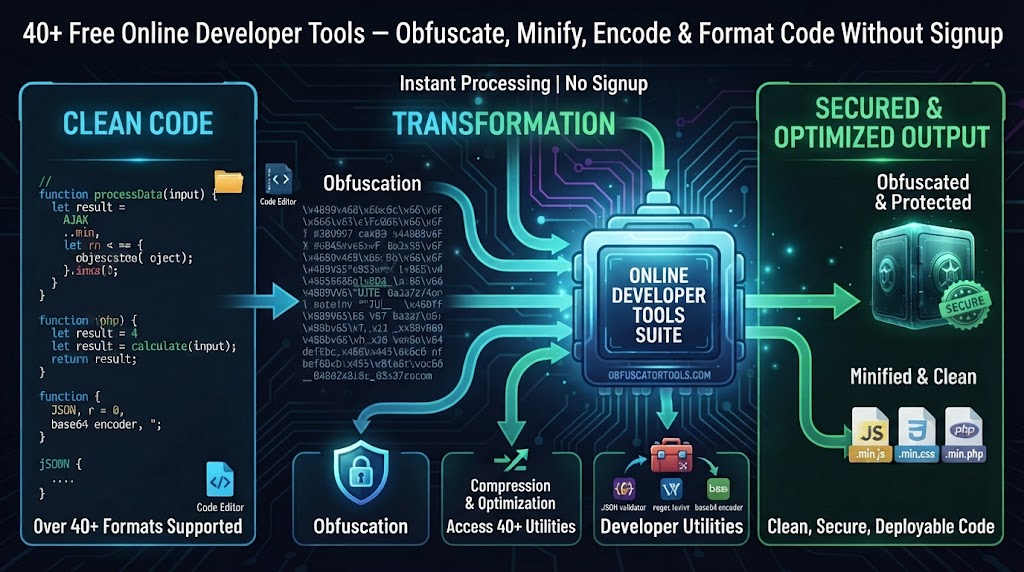
Quick verdict: ObfuscatorTools.com is a free, browser-based developer toolbox that packs 40+ utilities into one no-signup platform. Whether you need to protect client-side JavaScript before deployment, shrink CSS for faster page loads, decode a Base64 string, or validate a JSON payload, it handles the job in seconds — without installing anything or uploading your code to a server.
The Problem It Solves
Every developer knows the friction: you finish a script, and now you need to obfuscate it before delivery. That means finding a reliable obfuscator, installing it locally, configuring options, running the build, and hoping it doesn't break runtime behavior. Then you need to minify the CSS, validate the JSON config, and decode a JWT to debug an API issue — each requiring a different tool, a different setup, a different update cycle.
ObfuscatorTools.com collapses all of that into a single browser tab. No dependencies. No version conflicts. No system permissions. Just paste, transform, copy.
Tool 1: The Online Code Obfuscator
The JS Obfuscator is the platform's flagship tool. It converts readable source code into a compact, unreadable format while preserving exact runtime behavior.
Techniques applied:
Variable and function renaming — meaningful identifiers become short, meaningless strings
String encoding — literal values are hidden from casual inspection
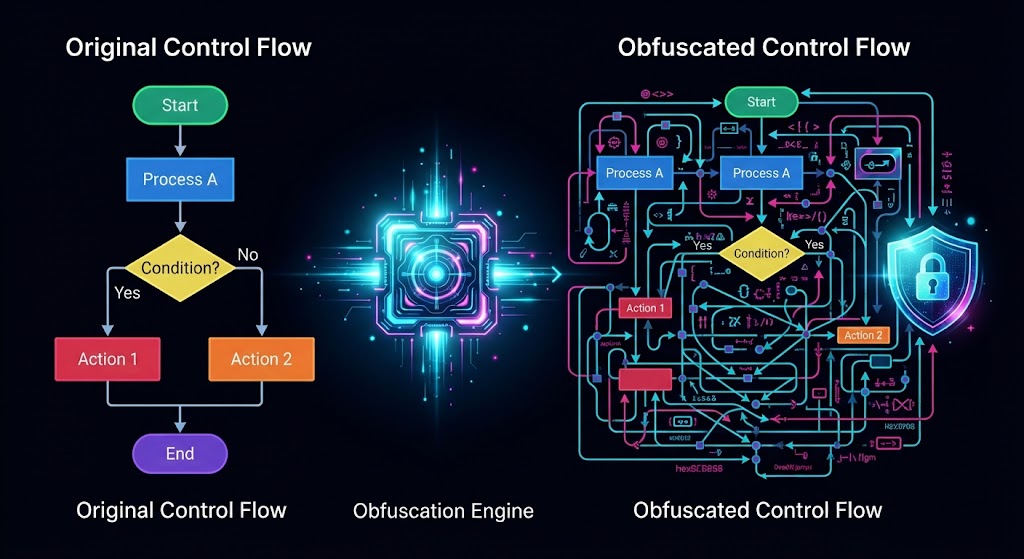
Control flow flattening — logic is restructured into switch-based dispatchers that are painful to trace
Dead code injection — noise is added to slow down reverse engineering
Supported languages: JavaScript, PHP, HTML, and CSS.
What obfuscation actually does: It is not encryption. It does not make code impossible to reverse — it makes reverse engineering expensive and time-consuming. For client-side JavaScript that ships to browsers, obfuscation is the only practical way to slow down code theft, protect proprietary algorithms, and hide API keys from casual inspection. Combined with server-side rendering and legal protection (licenses and copyright notices), it forms a layered defense.
When to use it: Shipping a client-side app, protecting proprietary algorithms, securing embedded scripts, or delivering code to clients who want basic IP protection.
Tool 2: The Online Minifier
The JS Minifier reduces file size and improves page load speed by stripping whitespace, comments, and dead code. It supports JavaScript, CSS, HTML, JSON, and XML — all generated in real time.
Why it matters:
Minified JavaScript loads faster and reduces bandwidth costs
It improves Core Web Vitals scores, which directly affect SEO rankings
CSS minification removes redundant rules and comments
HTML minification compresses markup without breaking structure
Minification vs. obfuscation — the key difference: Minification removes whitespace and comments but leaves variable names intact, so the code remains readable. Obfuscation goes further: it renames identifiers, encodes strings, and transforms control flow, making the code genuinely hard to understand. For production JavaScript, the best practice is to minify first, then obfuscate — or use an obfuscator that minifies as part of its pipeline.
Tool 3: Encoder & Decoder Utilities
The Base64 Encoder/Decoder is a daily driver for backend and frontend developers alike. It handles text, images, and binary data in real time.
What the encoding tools cover:
Base64 encode/decode — embed binary data (images, fonts, files) inside text-based formats like HTML, CSS, and JSON
URL encoding/decoding — make strings safe for query parameters
HTML entity encoding/decoding — prevent cross-site scripting (XSS) when rendering user input
JWT decoding — inspect token headers and payloads without server-side verification
Critical distinction: Encoding is not security — it is data transport. Base64 does not protect data; it makes it transportable. Understanding this difference prevents a common and dangerous misconception.
Tool 4: Formatters & Validators
Well-formatted code is easier to debug, review, and maintain. The platform includes a JSON Formatter & Validator that beautifies, minifies, validates with error line numbers, sorts keys, and converts to CSV/XML/YAML. It also offers a Code Beautifier that transforms minified or messy code into clean, readable source with customizable indentation for JavaScript, CSS, HTML, XML, and SQL.
These tools save hours of manual debugging and make code reviews faster.
Code Protection Strategy: The Bigger Picture
No single technique protects code completely. The strongest approach combines:
Obfuscation — rename variables, encode strings, flatten control flow
Minification — remove everything unnecessary
Server-side rendering — keep critical logic off the client entirely
Legal protection — licenses and copyright notices
For embedded scripts and browser extensions, obfuscation is often the only layer available — which makes a reliable online obfuscator an essential part of the toolkit.
Who Should Use ObfuscatorTools.com
Good fit:
Frontend developers who need to quickly obfuscate a script before deployment
Backend engineers decoding a JWT to debug an API issue
Agencies delivering code to clients who want basic IP protection
Developers working across multiple machines who do not want to maintain a local toolchain
Keep in mind:
Obfuscated code can grow in size, and control-flow flattening may affect runtime performance
For large production projects, a build-integrated solution (like the javascript-obfuscator npm package) gives finer control and source map management
Free tools have practical limits; treat online utilities as quick validation and lightweight production helpers, not replacements for a full engineering pipeline
Frequently Asked Questions
Is ObfuscatorTools.com really free?
Yes. The platform is completely free and requires no sign-up, download, or payment for its core tools.
Does it upload my code to a server?
The tools are browser-based and process code locally. Your code is not stored on a server.
What languages can I obfuscate?
JavaScript, PHP, HTML, and CSS.
What is the difference between minification and obfuscation?
Minification removes whitespace and comments but leaves names readable. Obfuscation renames identifiers, encodes strings, and transforms control flow to make code genuinely hard to understand.
Can obfuscation make my code uncrackable?
No. Obfuscation raises the cost and time required for reverse engineering — it is not encryption and cannot make code impossible to reverse.
Does minification improve SEO?
Yes, indirectly. Smaller files load faster, which improves Core Web Vitals — a ranking factor for search engines.
The Bottom Line
If you need a free, instant, no-signup entry point for code obfuscation, minification, encoding, and formatting, ObfuscatorTools.com is worth bookmarking. It is particularly useful for quick one-off tasks, client deliverables, and developers who work across multiple machines and do not want to maintain a local toolchain.
If you need a versioned, auditable, CI/CD-integrated code protection pipeline, treat it as a fast validation tool rather than your only dependency.
Explore the tools: ObfuscatorTools.com — 40+ free online developer tools, no signup required.

Comments
Leave a Comment